
Key takeaways
- check_circleStart with the payoff: Use your current payoff balance, not the original loan amount.
- check_circleWhat you get: The calculator returns your new monthly payment, total interest and the difference between the old and new loan.
- check_circleJudge on total interest: Trust the total-interest figure over the monthly payment when deciding whether refinancing saves money.
Your interest rate looked fine when you signed the loan paperwork two years ago. Now your credit score has climbed, rates have shifted, or you just want a lower payment, and you are wondering if refinancing actually saves real money. A car loan refinance calculator answers that question in seconds, before you talk to a single lender.
Here is the direct answer: plug in your current loan balance, interest rate, and remaining term alongside a new rate and term you are considering, and the calculator shows your new monthly payment, total interest, and lifetime savings side by side. No guesswork, no sales pitch — just the math laid out plainly so you can see whether refinancing makes sense for your specific situation.
This guide walks you through exactly how to use one of these tools correctly, step by step. You will learn which numbers to gather from your current loan statement, how to input them without making common mistakes that skew your results, and how to read the output so you understand what is driving your potential savings. By the end, you will know whether refinancing is worth pursuing or better left alone.
1. What you need before using a car loan refinance calculator
Grab your loan documents before you open any refinance calculator, because guessing at numbers defeats the whole purpose. Pull up your most recent statement or log into your lender's app and find your current payoff balance, not your original loan amount. That distinction matters: a calculator working from the amount you borrowed two years ago instead of what you actually owe today will hand you a wrong answer every time.
Next, track down the interest rate on your existing loan and the number of months you have left on the term. Both numbers usually sit right on your monthly statement, though some lenders bury the rate in the original loan agreement instead. Also note your current monthly payment, since you will compare it directly against whatever a new loan offer would cost you.
The information to have on hand
Before you touch a calculator, collect these five items:
- Current loan payoff balance (call your lender or check your online account for the exact figure)
- Current interest rate (APR, not just the advertised rate)
- Months remaining on your existing loan
- Your current monthly payment amount
- Any prequalified rate quotes you have already received from other lenders
Finally, check your loan agreement for a prepayment penalty clause. Some lenders charge a fee for paying off a loan early, and that fee eats into your projected savings if you do not factor it in. Skipping this step is the single most common reason people overestimate how much refinancing will actually save them.
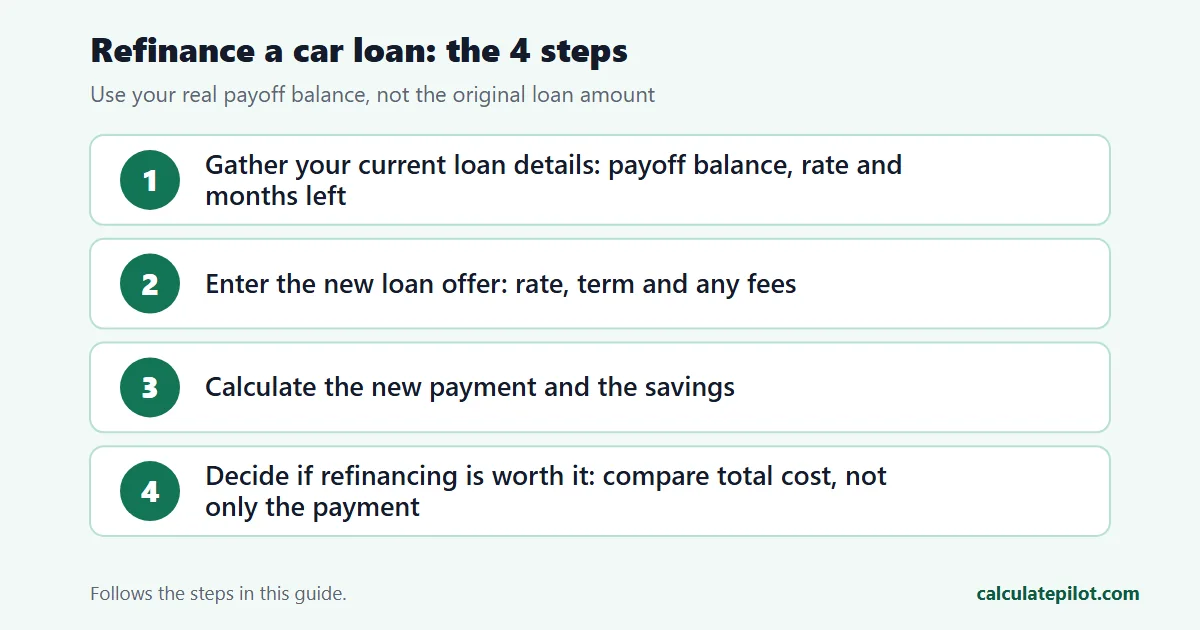
2. Step 1. Gather your current loan details
Open the Refinance Calculator and start with the fields asking about your existing loan, since everything else builds off these numbers. Enter your exact payoff balance first, not a rounded guess. A difference of even $500 can shift your projected savings enough to change your decision.
After the balance, input your current interest rate exactly as it appears on your statement, down to the decimal. Then enter your remaining term. Most calculators accept years or months — if the field asks for years, convert months first (36 months is 3 years). A mismatch here will throw off every result that follows.
Here is the order most tools ask for this information:
- 1Current payoff balance
- 2Current interest rate (APR)
- 3Remaining term
- 4Current monthly payment
Double-check each field before moving on. A refinance calculator can only be as accurate as the data you feed it, and typos here compound into misleading results down the line. Once these numbers are locked in, you are ready to add the new loan offer you are comparing against.
3. Step 2. Enter your new loan offer
With your current numbers locked in, move to the fields for the loan you are considering. Enter the new interest rate exactly as quoted, whether it comes from a prequalification letter or a rate estimate you found while shopping around. If a lender has not given you a hard number yet, use their advertised rate for your credit tier as a starting point, then revisit the calculator once you have a real offer.
Next, input the new loan term. This is where people trip up: stretching your term to lower the monthly payment can quietly increase your total interest paid, even at a lower rate. The calculator shows both numbers, so do not skip past the total interest field to focus only on the payment.
Finally, add any refinancing fees the new lender charges, such as an origination fee or title transfer cost, so your comparison reflects the real out-of-pocket cost, not just the interest rate difference.
4. Step 3. Calculate your new payment and savings
Hit calculate, and the tool returns three numbers that matter: your new monthly payment, your total interest over the life of the new loan, and the difference between old and new. This is where a refinance calculator earns its keep, since it converts abstract rate percentages into dollars you actually recognize — the same way an auto loan calculator does when you are buying.
Read the output as a comparison, not a standalone figure. Look at your monthly savings first, then check total interest paid across the full term. A calculator might show you saving $45 a month while actually costing you $600 more in interest if the new term runs longer than your original one.
What the results actually mean
| Metric | Current Loan | New Loan |
|---|---|---|
| Monthly payment | $410 | $365 |
| Remaining term | 36 months | 48 months |
| Total interest left | $1,180 | $1,540 |
In this example, the lower payment feels good, but the extended term adds $360 in interest. Run the numbers both ways before you sign anything, check the principal vs interest breakdown for each term, and lean on the total interest column when the results seem too good to be true.
5. Step 4. Decide if refinancing is worth it
Now that you have seen the numbers side by side, weigh them against your actual goals. If you need lower monthly cash flow right now, a longer term might make sense even with slightly higher total interest. If your priority is paying off debt fast and saving money overall, a shorter term at a lower rate wins every time. Run a scenario for both goals so you see the tradeoff instead of guessing.
Weigh these factors before committing:
- Break-even point: divide any fees by your monthly savings to see how many months until refinancing pays for itself
- Remaining loan term: refinancing rarely makes sense if you have less than a year left
- Credit score changes: a hard inquiry from a new lender can ding your score slightly, and lenders will also look at whether you have a good debt-to-income ratio
- Total interest difference: the number that should decide your final call
Only move forward once the math clears these checkpoints, not just because the monthly payment looks smaller.
6. Putting your numbers into action
Refinancing a car loan comes down to four numbers: your payoff balance, your current rate, the new offer, and the total interest difference between them. Once you have run those through a refinance calculator, you are not guessing anymore — you are deciding with actual data in front of you. Skip the step where you eyeball a lower payment and assume it is a win.
Trust the total interest column over the monthly payment every time it tells a different story. Understand your break-even point before you sign anything, since fees can quietly cancel out savings that looked solid on paper. Verify your numbers against a second lender's offer if the first one seems unusually generous, because rate shopping costs nothing and protects you from a bad deal.
If you run a finance or auto site and want to give your own readers this same tool, you can embed a free calculator on your website with one line of code, no coding required.
8. Frequently asked questions
What numbers do I need for a car loan refinance calculator?expand_more
Start with your current payoff balance, APR, remaining term, and monthly payment. Add any prepayment penalty and the new rate, term, and fees you are comparing.
Does a lower monthly payment mean refinancing saves money?expand_more
Not always. A longer term can cut the payment while raising total interest. Compare total interest and the break-even point, not the payment alone.
Should I use years or months for the remaining term?expand_more
Use whatever the calculator field asks for. Convert carefully: 36 months is 3 years. Entering 36 into a years field will produce a meaningless result.
When is refinancing a car loan usually not worth it?expand_more
It is rarely worthwhile with less than a year left, if fees take longer to recover than you plan to keep the car, or if a prepayment penalty wipes out the interest savings.