Key takeaways
- check_circleThree inputs: Your debt-free date depends on the balance, the interest rate and the amount you pay each period.
- check_circlePayment size: A higher payment cuts principal faster, leaving less balance exposed to future interest.
- check_circleStay realistic: Pick a payment you can keep up, compare baseline, comfortable and aggressive scenarios, and re-check monthly.
1. The most useful debt-payoff question is often “what if I pay more?”
A debt balance by itself does not tell you when you will be debt-free. The repayment path depends on three numbers working together: the balance you owe, the interest rate applied to that balance, and the amount you pay each period. Change the payment and you can change the entire timeline.
That makes a debt payoff calculator useful for planning rather than simply checking a final number. Instead of asking only whether you can make the current payment, you can compare several sustainable payment levels and see what each one could mean for your payoff date and total interest.
CalculatePilot’s Debt Payoff Calculator is designed for this kind of scenario testing. Enter your current balance, APR, and monthly payment, then compare the resulting payoff time, total interest, and total amount paid.
2. What a debt payoff calculator actually calculates
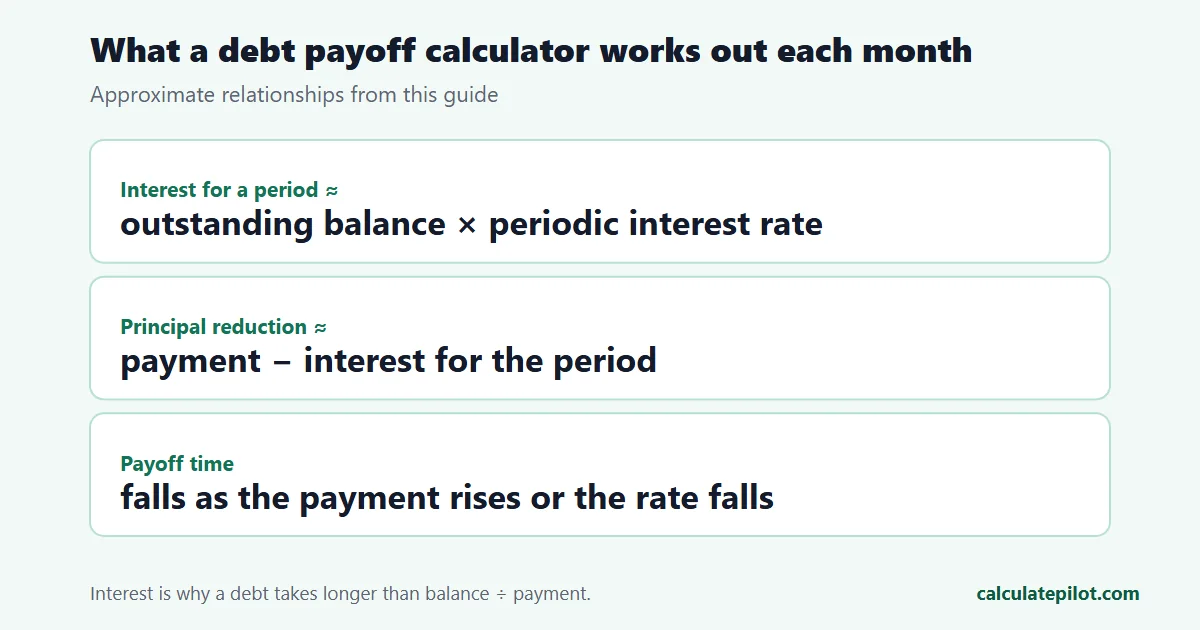
For a single debt, the calculator estimates how the balance changes from one payment period to the next. Interest is applied to the outstanding balance, your payment is made, and the remaining amount becomes the starting point for the next period. Repeating that process produces an estimated number of payments until the balance reaches zero.
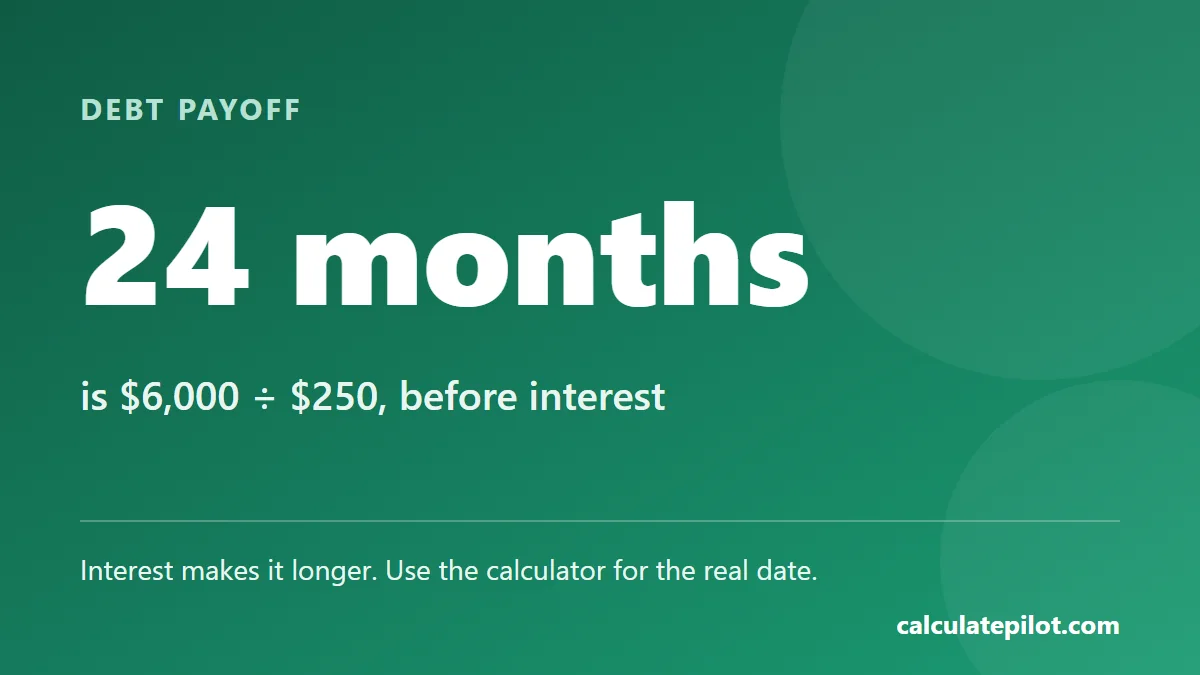
The result is more informative than a simple division of balance by payment. For example, dividing $6,000 by $250 suggests 24 months, but that ignores interest. With a positive APR, part of every payment goes toward interest, so less than $250 initially reduces principal. The actual payoff period can therefore be longer than the simple division suggests.
3. Why a small payment increase can make a large difference
When a debt has a high interest rate, increasing the payment does two things at once. First, more money goes toward principal immediately. Second, the lower principal creates a smaller base on which future interest is calculated. That can create a compounding benefit in the repayment schedule: a faster balance reduction leaves less balance exposed to future interest.
Consider a hypothetical $6,000 balance at 21.9% APR. A $250 monthly payment may take substantially longer than a $350 payment, even though the difference is only $100 per month. The higher payment does not merely add $100 to each installment; it changes how quickly the principal falls, which changes the interest charged in later periods.
That is why it is worth running several scenarios rather than choosing a payment by intuition. Try the current payment, a modest increase, and a more aggressive amount you could realistically sustain. Compare the months saved and interest avoided against the additional cash required each month.
4. How to choose a realistic payment target
The mathematically fastest payoff is not automatically the best plan. A payment that leaves no room for groceries, housing, transportation, unexpected bills, or a cash buffer can be difficult to maintain. A slightly slower plan that you can follow every month is often more useful than an aggressive target that causes you to miss payments or rely on new credit.
Start with your current required payment. Then identify an additional amount that is genuinely available after essential expenses. Test that number in the calculator. If the improvement is meaningful, consider making it your recurring target rather than waiting for occasional windfalls.
You can also test a “step-up” strategy outside the calculator: begin with a manageable payment, then increase it after a debt is cleared, a regular expense ends, or your income changes. The key is to avoid assuming that future income will arrive before building a plan around it.
5. APR matters because time and interest interact
Two debts with the same balance can have very different payoff costs when their interest rates differ. A $5,000 balance at a high APR generally deserves more attention than a $5,000 balance at a much lower APR if your goal is to reduce interest expense.
This is especially important when comparing multiple debts. The Debt-to-Income Ratio Calculator can help you understand the broader relationship between recurring debt payments and income, while the payoff calculator focuses on the repayment path for a particular balance.
When entering an APR, use the rate that actually applies to the debt rather than a generic average. If the rate is variable, treat the calculator result as a scenario rather than a guaranteed schedule. Promotional rates can also change the outcome once the promotional period ends.
6. Debt avalanche versus debt snowball
If you have several balances, the order in which you attack them can matter. Two popular approaches are the debt avalanche and debt snowball methods.
- Avalanche: make required payments on all debts and direct extra money toward the debt with the highest interest rate. This approach generally minimizes interest when other assumptions remain equal.
- Snowball: make required payments on all debts and direct extra money toward the smallest balance. Clearing a balance quickly can provide a visible milestone and may make the plan easier to maintain.
A calculator cannot decide which behavioral approach will work for you, but it can make the financial trade-off easier to see. Run the individual debts and compare the consequences of directing your extra payment toward different balances. If you are dealing with a loan rather than revolving debt, the Loan Calculator can provide another way to examine payment and interest scenarios.
7. Do not confuse total payment with principal reduction
One of the most common mistakes in debt planning is treating every dollar of a payment as if it immediately reduces the balance. Interest changes that. Suppose interest for a period is $90 and the payment is $250. Only about $160 is available to reduce principal before considering other charges or differences in the lender’s calculation.
As the balance falls, the interest portion can fall too, assuming the rate remains unchanged. This means repayment is not a straight line. Early payments on an interest-bearing debt can feel slow because a larger share goes toward financing cost; later payments can reduce principal more quickly as the balance becomes smaller.
8. Use scenarios instead of one “perfect” forecast
A strong debt plan should survive reasonable changes. Create at least three calculator scenarios:
- 1Baseline: your current balance, current APR, and current payment.
- 2Comfortable improvement: the payment you could add every month without depending on uncertain income.
- 3Aggressive target: a higher payment you might use temporarily when expenses are lower or extra cash becomes available.
Then compare payoff time and total interest. The comfortable scenario is often the most useful benchmark because it represents a repeatable behavior. The aggressive scenario shows the potential upside without requiring you to make that commitment permanently.
You can also use the Budget Calculator to check whether the payment fits into your wider monthly plan. Debt repayment works better when the payment is connected to a complete cash-flow picture rather than treated as an isolated target.
9. What the calculator does not know
A calculator can only work with the assumptions you enter. Real debt accounts may include annual fees, late fees, changing APRs, minimum-payment rules, payment-date differences, or promotional periods. Some debts also have special contractual terms that change how interest is calculated.
For that reason, treat the result as an estimate for planning. Check your lender or card statement for the actual current balance, APR, required payment, and applicable fees. If your debt has unusual terms, use the calculator to compare broad scenarios rather than expecting it to reproduce a lender statement to the penny.
10. When extra money arrives, calculate before you spend it
Tax refunds, bonuses, gifts, freelance income, or a temporary reduction in expenses can create opportunities for additional principal payments. Before deciding how much to put toward debt, test the effect. A lump-sum payment can shorten the repayment path, but the best choice depends on your emergency savings, other debts, upcoming expenses, and the interest rate you are paying.
For long-term planning, compare the debt payoff result with the opportunity cost of using the same money elsewhere. A high-interest balance can be expensive to carry, while an emergency reserve can protect you from taking on new debt when an unexpected expense occurs. The calculator gives you the repayment side of that decision so you can evaluate it alongside your broader finances.
11. A simple monthly debt-payoff workflow
Use the following process once a month. First, record the latest balance and current interest rate. Second, enter them into the CalculatePilot Debt Payoff Calculator with the payment you actually expect to make. Third, compare that result with a slightly higher payment. Fourth, record the estimated interest and payoff-date difference. Finally, choose a payment that fits your real budget and repeat the process after the next statement.
This creates a measurable feedback loop. Instead of judging progress only by how the balance “feels,” you can see whether your payment strategy is shortening the timeline. If the balance is not declining as expected, investigate the reason rather than simply paying more blindly.
12. Common debt payoff calculator mistakes
- Using an outdated balance: update the balance when your statement changes.
- Entering the wrong APR: use the rate currently applied to the account.
- Ignoring fees: recognize that account fees can change the real payoff cost.
- Choosing an unrealistic payment: a plan is only useful if you can maintain it.
- Looking only at months: compare both payoff time and total interest.
- Assuming the estimate is a lender quote: actual account calculations may differ.
14. Frequently asked questions
How does a debt payoff calculator determine the payoff date?expand_more
It uses the starting balance, interest rate, and payment amount to estimate how the balance changes over successive payment periods until it reaches zero.
What happens if I increase my monthly debt payment?expand_more
A higher payment generally reduces the number of payments required and lowers the amount of interest that can accrue, assuming the interest rate and other terms stay the same.
What if my payment is too low to cover interest?expand_more
If the payment does not exceed the interest accruing during a payment period, the balance may fail to decline. The payment needs to be high enough to reduce principal.
Should I use the debt avalanche or debt snowball method?expand_more
Avalanche prioritizes the highest interest rate and can minimize interest mathematically. Snowball prioritizes the smallest balance and can create quicker psychological wins. The sustainable method is the one you can follow consistently.